 Framecho
Capture it.
Make the point clear.
Framecho is a native macOS app for screenshots, screen recordings and editing. Annotate, polish, cut and caption on your Mac — the original is never touched.
Eight global shortcuts, all changeable in Settings
From a keystroke
to a shared link.
Capture
Full screen, window, area or video. Press Space while selecting an area to switch to a window.
Annotate
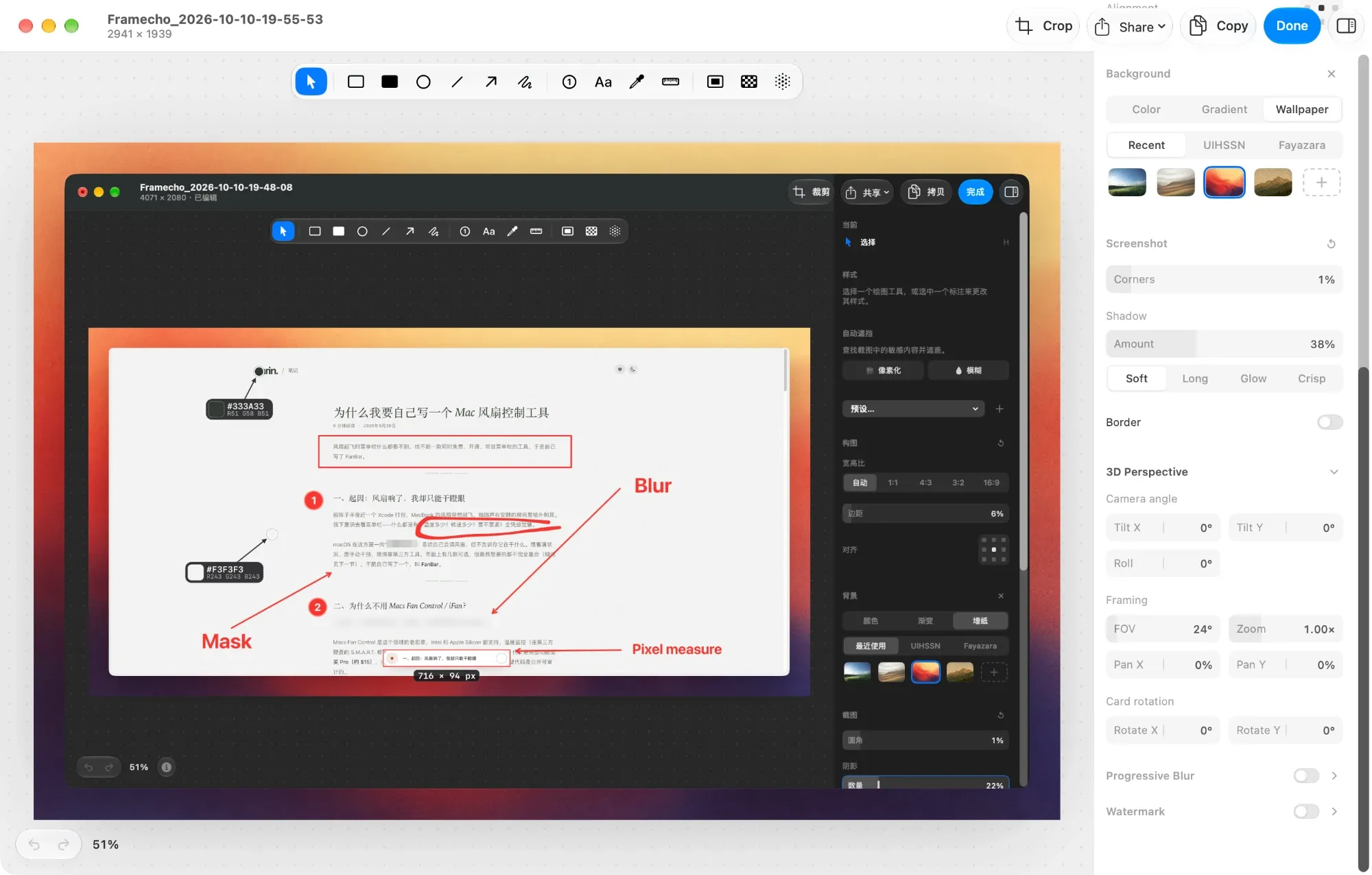
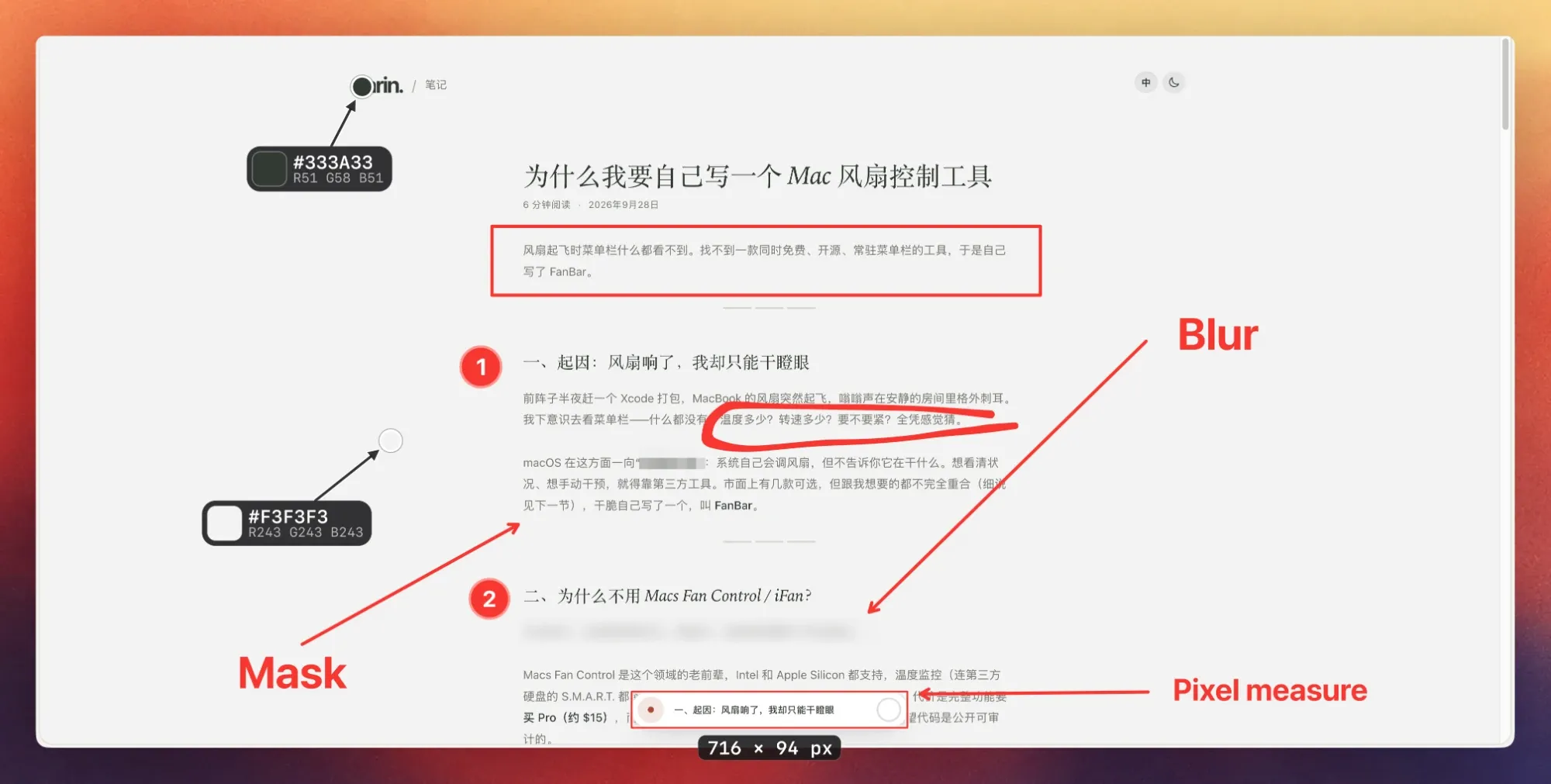
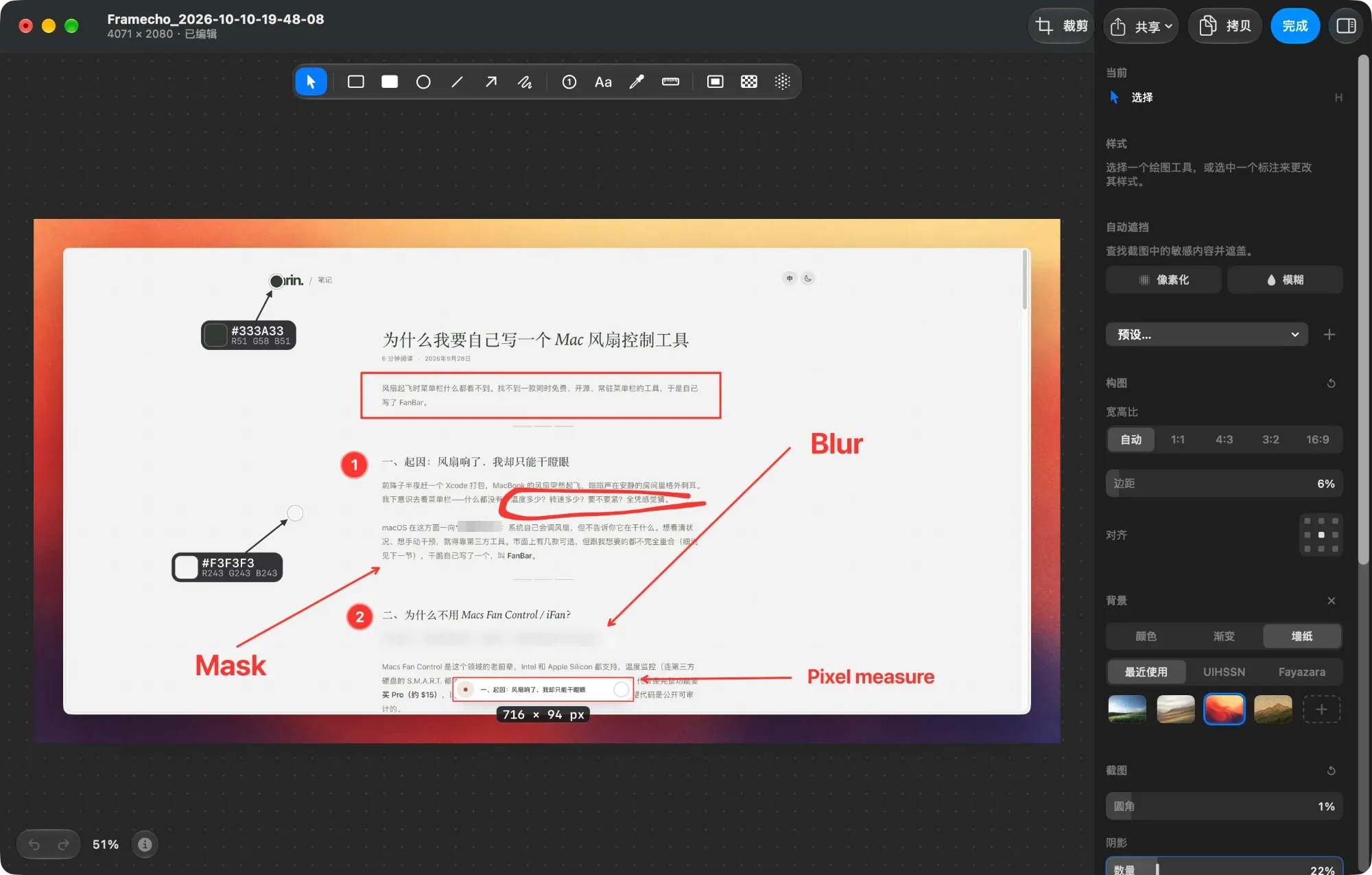
A floating toolbar with a single-key shortcut for every tool. Press ⌘C and it’s copied.
Polish
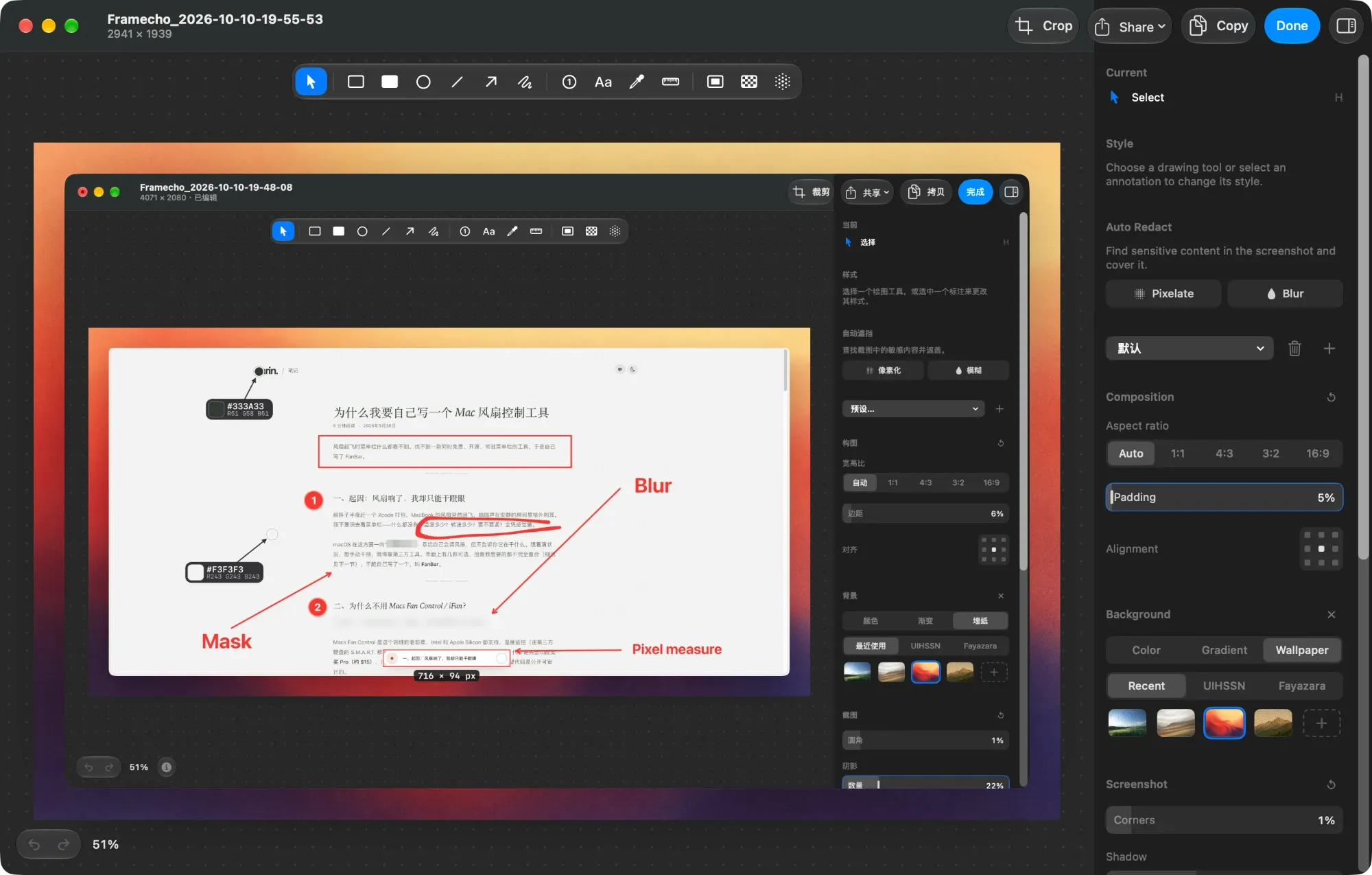
Backgrounds, corners, shadows and 3D perspective — save it once as a preset, reuse it everywhere.
Share
Save, copy, or upload to your own Cloudflare with the link already on your clipboard.
Fast to mark up,
good to look at.
Every tool sits in a floating toolbar above the canvas with its own single-key shortcut, so your hands stay on the keyboard. Edits live in a .framecho file beside the image — come back and change them any time.
One preset,
every image looks right.
- BackgroundColor, gradient or wallpaper packs, with padding, corners, shadow, border and watermark
- Effects3D perspective (camera angle, framing, card rotation) and progressive blur
- PresetsSaved as
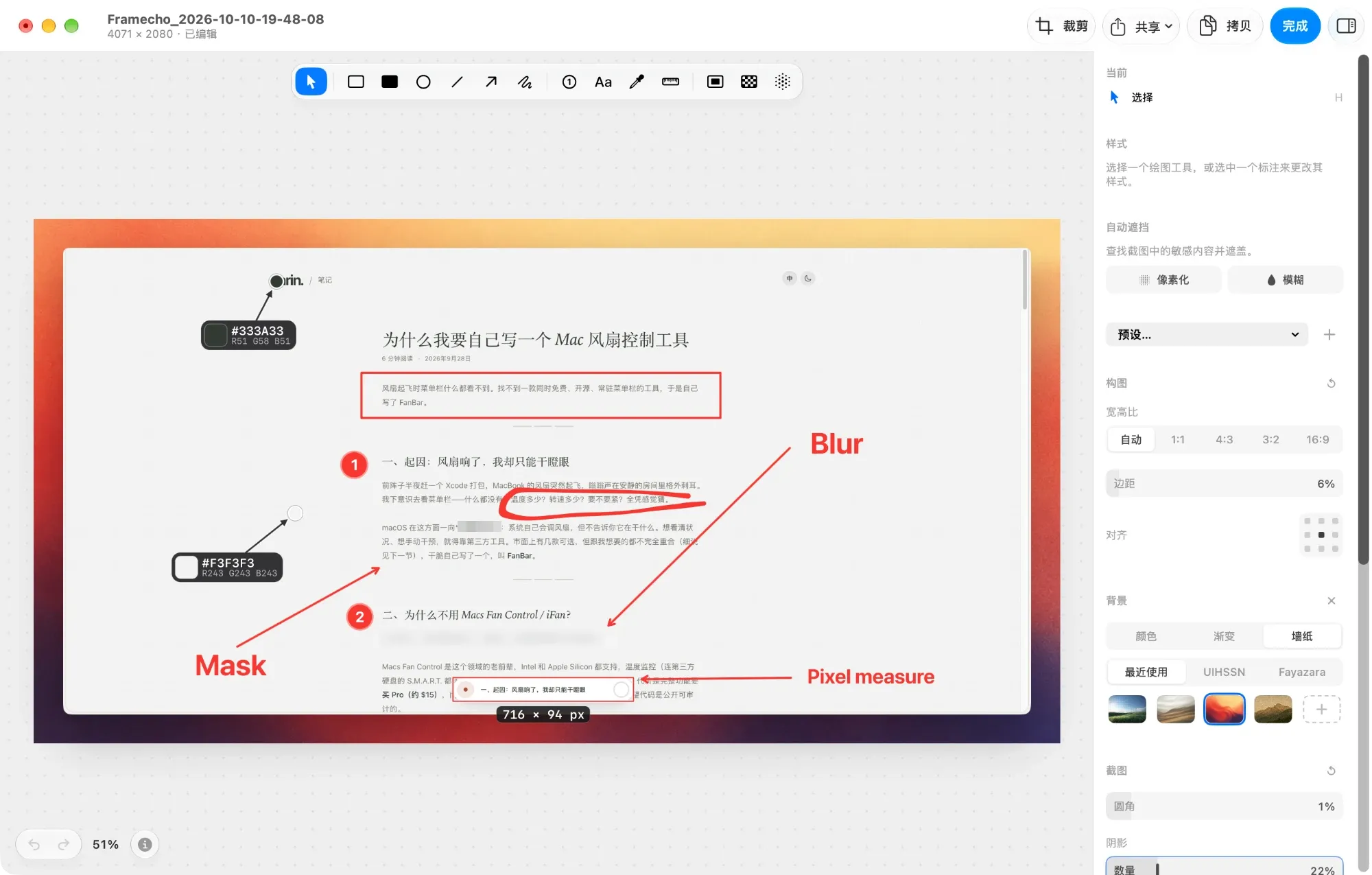
.framechopresetto import, export and share with your team - BilingualA complete English and Simplified Chinese interface that follows your system language
- LosslessCrop, undo and redo freely — the original is always kept
Record it, cut it,
ship it polished.
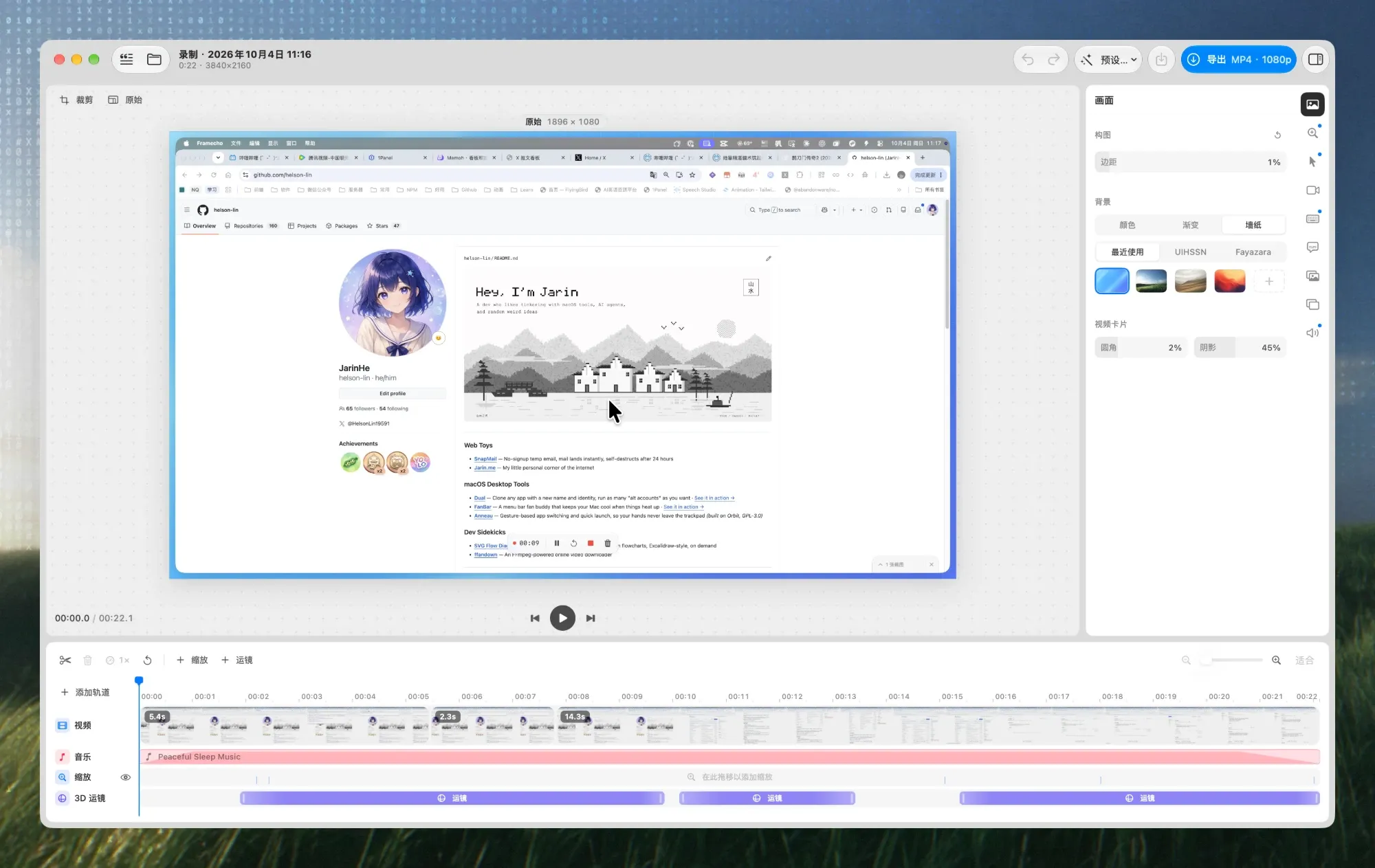
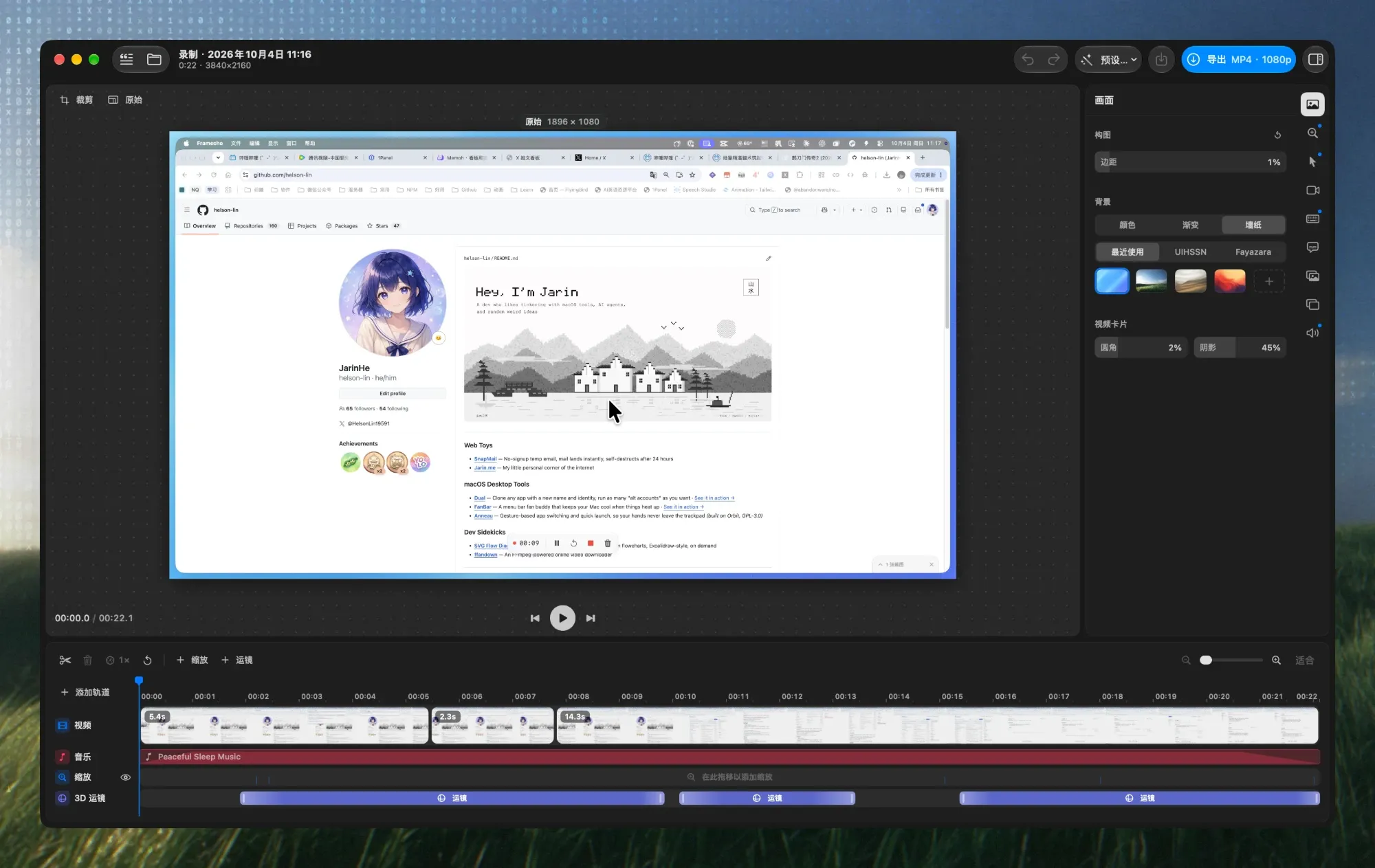
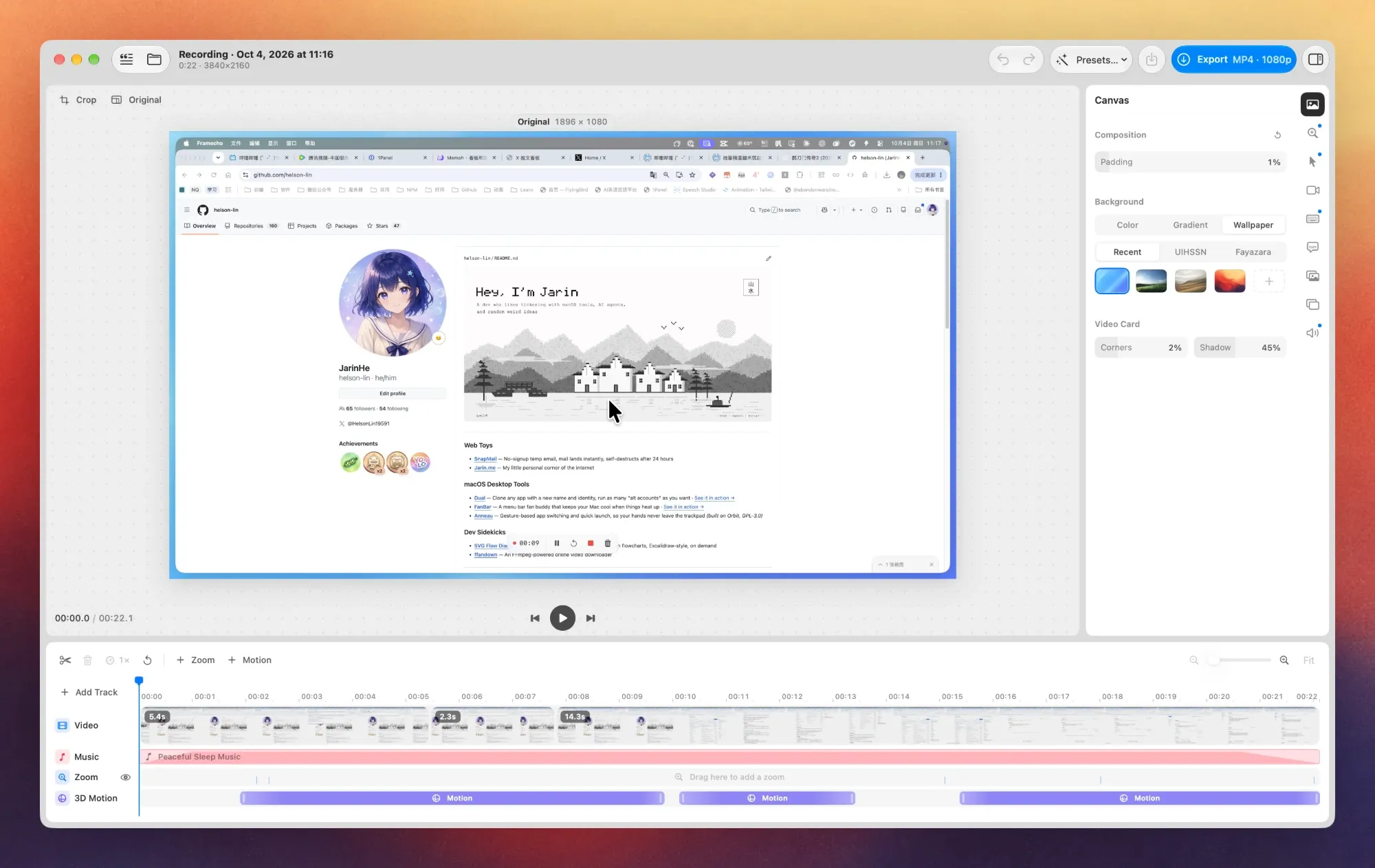
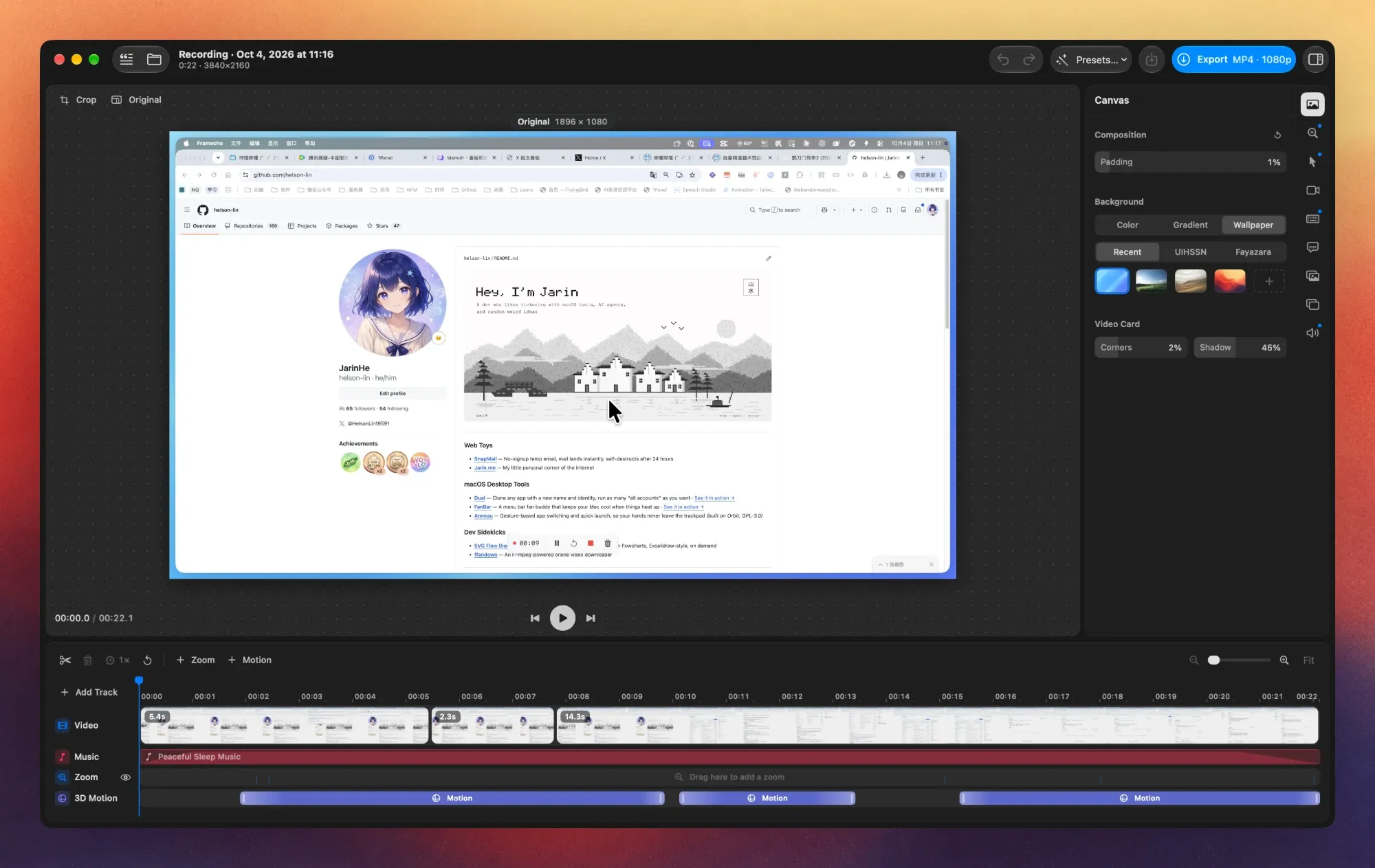
Auto-zoom follows your cursor, and a 3D camera move is one drag on the timeline. Screen and camera are kept as separate tracks, so you can reframe whenever you like.
Auto zoom
Follows the pointer, rebuilds the cursor and highlights clicks, so small actions read clearly.
3D camera moves
Pose the card with an on-canvas trackball, ease in and out, export with Metal motion blur.
Word-level captions
On-device transcription with word highlighting — delete words to cut the video under them.
Timeline editing
Split, trim and delete clips, and change speed per segment.
Camera & keystrokes
Position, size and round the camera bubble; keystroke captions are generated for you.
Export
Landscape, portrait or square at 30 or 60 fps, cancellable at any time.
Every capture
has a place.
Library
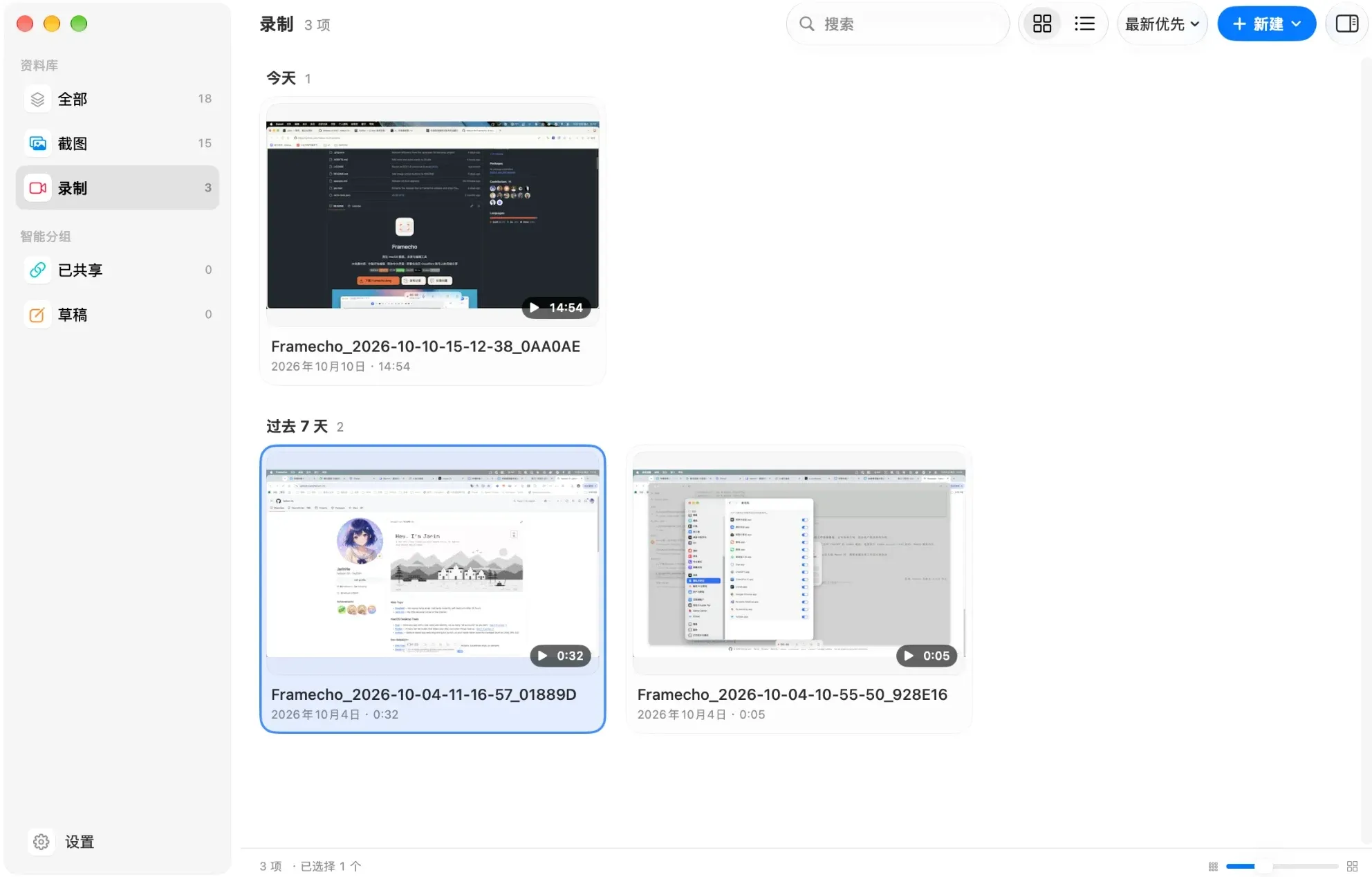
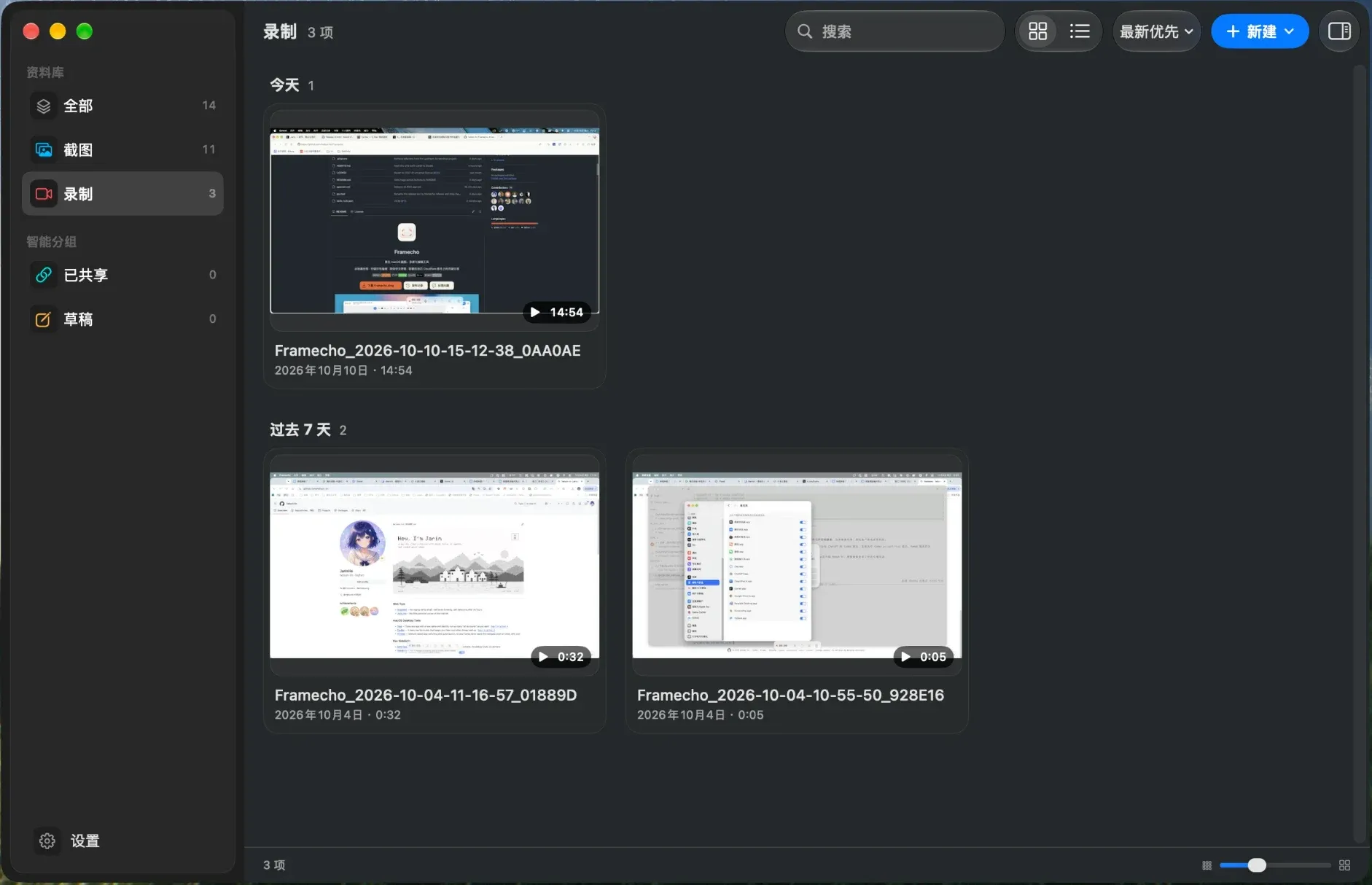
Screenshots, videos and recording projects in one window — smart groups, date sections, grid or list, batch actions.
Pinned screenshots
Float a reference on screen, annotate it in place, scroll to change its opacity.
Select to copy text
On-device OCR — no screenshot saved, layout preserved.
Fluent in Chinese
A full Simplified Chinese interface, with OCR and redaction that read mixed Chinese and English.
Auto redact
Finds emails, keys and phone numbers in a screenshot and covers them in one click.
Let an agent
edit your video.
Turn on AI access in Settings and Framecho hands Studio’s editing tools to assistants like Claude over MCP: cut the flubs, add zooms, write an intro card. Every edit is non-destructive — press ⌘Z in Studio to undo it.
transcribecut_wordstighten_narrationadd_zoomset_cardset_musicexport# Off by default · a Unix socket only your user can reach You › Clean up yesterday’s demo — cut the flubs and pauses, zoom in when I click “Deploy”, then export it vertical. → list_recordings found “Recording · Oct 9 at 16:42” → tighten_narration removed 14 pauses, −0:23 → cut_words deleted “um, so” ×6 → get_frame t=31.2 found the Deploy button → add_zoom 2.0× · 30.8s → export 9:16 · 1080p · 60fps Done › 1:48 → 1:19, saved to ~/Pictures/Framecho
Your captures
stay yours.
Nothing leaves your Mac
Screenshots, recording tracks and projects are stored locally; back up by copying one folder.
Your voice isn’t uploaded
Captions and teleprompter tracking run on device. Camera and microphone are only requested when used.
No public server
Sharing runs on your own Cloudflare account, with a player, searchable transcript and comments.
Questions, answered.
- What is Framecho?
- Framecho is a native macOS app for screenshots, screen recordings and editing, written in SwiftUI and AppKit. It brings screenshot annotation, screen recording, a Studio video editor and a local library together in one app, and every edit is non-destructive: the original image or recording is never changed.
- Is Framecho free?
- Yes. The source code is published on GitHub under the CC0 1.0 license, with no subscription and no in-app purchases.
- What does it run on?
- macOS 26.4 or later, on both Apple silicon and Intel Macs. The download is signed with a Developer ID, notarized by Apple, and kept up to date with Sparkle.
- Are my screenshots and recordings uploaded?
- No. Screenshots, recordings and projects are stored on your Mac in ~/Library/Application Support/Framecho, and captions are transcribed on device. Files are only sent when you upload them, or turn on automatic upload, to a Cloudflare service you set up yourself.
- How does cloud sharing work?
- There is no public upload server. You deploy the companion Framecho-worker to your own Cloudflare account (Workers, R2 and D1), then enter its URL and upload token under Settings › Cloud. Shared videos get a player, a searchable transcript and comments.
- Can an AI assistant edit my recordings?
- Yes. Turn on agent access under Settings › AI and Framecho runs an MCP server; clients such as Claude Code, Claude Desktop and Cursor connect with Framecho --mcp and can transcribe a recording, cut it by its words, add zooms and intro or outro cards, and export it. Every edit is non-destructive and can be undone in Studio. Agent access is off by default.
- Which languages does it support?
- The interface is available in English and Simplified Chinese and follows your system language. OCR and automatic redaction read text that mixes Chinese and English.
- How is Framecho related to Screendrop?
- Framecho began as a fork of the open-source Screendrop and is now maintained independently by helson-lin, with its own app identity, signing, release channel and update feed. It no longer tracks upstream.

Make your next
screenshot in Framecho.
Free, open source, and kept up to date with Sparkle.